
Why this exists
Claude is a powerful part of how we work at EdPlus. This document is not here to slow you down. It is here so we all share the same understanding of where the guardrails are, so you can move fast inside them with confidence.
What you can do inside Claude
Anthropic's enterprise agreement covers our use of Claude and Claude Code:
- Your conversations are not used to train Anthropic's models.
- Working with sensitive or PII-containing data inside Claude is permitted for approved EdPlus work. Military work is pending approval from OGC.
- You may use Claude for analysis, drafting, prototyping, code, research, and day-to-day acceleration.
The protection lives in the Claude environment. It does not automatically travel with anything you build.
Guardrails
The moment a solution leaves Claude, the protections do not come with it. That includes anything you build that:
- Is deployed to students, faculty, or staff
- Connects to, queries, or stores data from systems containing student records, PII, financial data, HR data, or other sensitive information
- Runs on infrastructure outside our approved environments (personal accounts, unvetted third-party tools, external hosting)
- Uses student data or EdPlus/ASU intellectual property as training data, fine-tuning material, or embedded content in an external system
These require review before deployment. Not after.
The three tiers of work
Work with AI at EdPlus runs on a simple traffic light: green means build now, yellow means review before it goes live, and red means bring in the technology team before anything ships. Find where your work lands below; each lane tells you exactly what's needed, if anything, before you proceed.
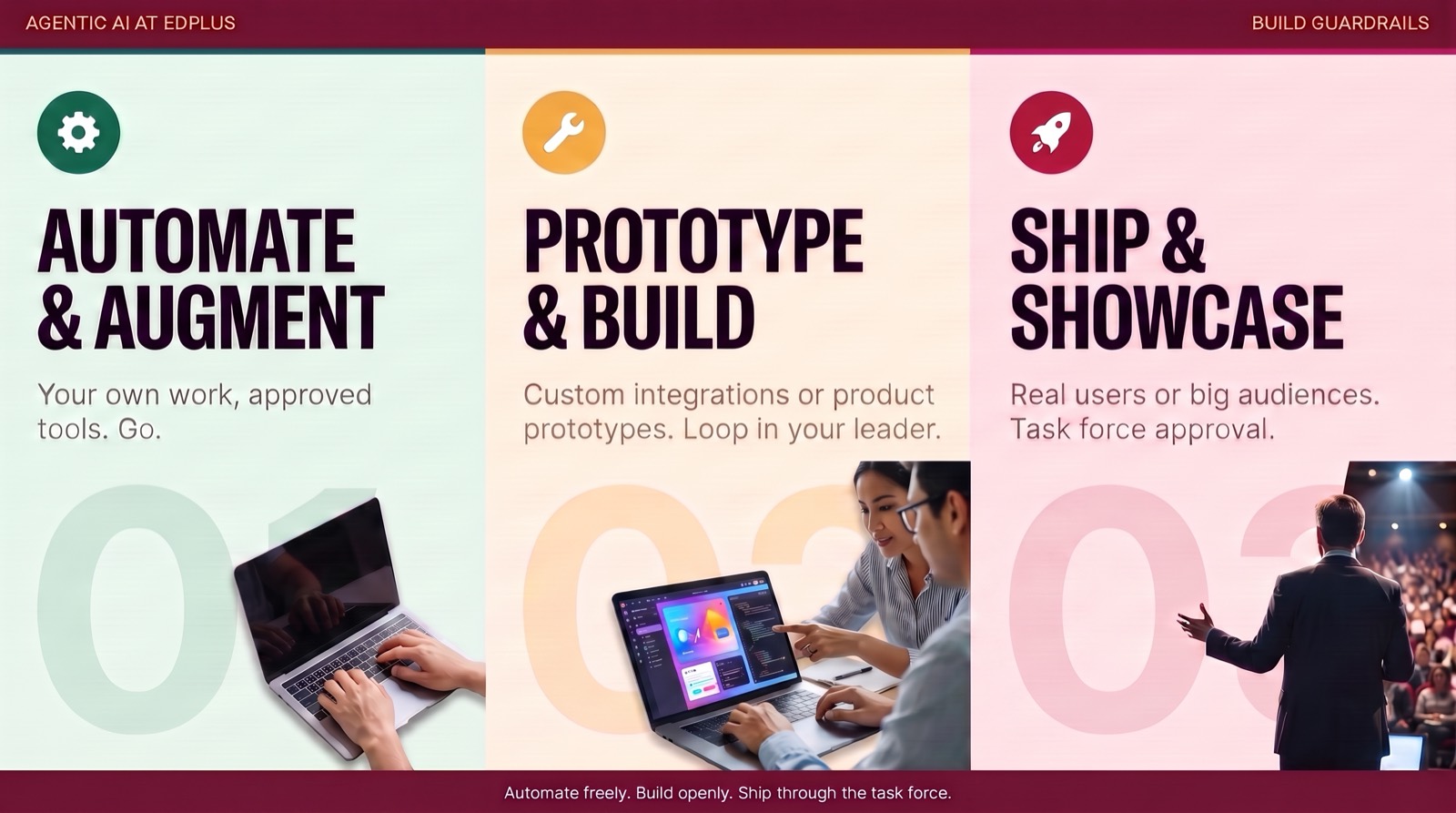
Internal assets for yourself or your team: interactive content, reports, personal tools, and solutions that keep sensitive data inside Claude via Live Artifacts. This is most of what most of us will ever do.
No review needed. Build now, and keep your leader in the loop on what you're building and why.
Prototypes are always allowed. The gate is the moment of exposure: authentication, hosting outside the agentic ecosystem, sensitive data in a third party tool, or use by students and faculty.
Submit it through the project intake form for review before it goes live.
Anything going public or to customers also gets a quality review from the team whose skill you used.
Net new customer solutions and complex deployments: custom products, deep integrations with university systems, or database management.
These go through AI technology governance before any build or deployment, and come with a meeting.
Governance pairs the work with engineering, security, and a support plan. Deploying here without it can result in agentic tool access being revoked.
This is the short version. The full framework, with every tier and guardrail spelled out, lives in The EdPlus Agentic Governance Framework.
None of this is meant to discourage building. Build loudly. Just tell us when it is going somewhere real. Questions, or a red tier solution to discuss? Contact Amanda Gulley or the AI Governance team before you deploy.