

Claude Enterprise is officially here. After months of piloting Claude across our teams, EdPlus is moving from individual pay-as-you-go accounts to a seat-based Claude Enterprise workspace, managed in partnership with ASU Enterprise Technology. The rollout is underway now.
What this means for you
- Already using Claude with your ASU account? You will be migrated into the new Enterprise workspace automatically; no action is needed. Some accounts may be briefly paused after migration while onboarding is finalized. You will hear from us before anything changes, so emails from Anthropic about the move are expected.
- Not on the list yet? Managers submitted the people included in the first wave. If you were not included and need access, select Request access on the Claude page in the Tool Directory and we will route it through your leader.
What is new with Enterprise
- A much larger context window. Work with whole reports, transcripts, or datasets in a single conversation.
- Enterprise-grade security. SSO with your ASURITE, audit logs, and no training on our data.
- Projects and shared knowledge. Build team workspaces around recurring work such as course production, marketing campaigns, or analytics.
- Higher usage limits. Fewer caps during peak work.
Two license levels
- 1Claude Enterprise (standard): the full claude.ai experience for everyday work. Most staff receive this license.
- 2Claude Code: for building, automation, and deeper technical work. Limited at launch to data, technology, and task force leads, expanding as teams demonstrate the need.
Know the guardrails
All AI work at EdPlus runs on a green, yellow, red framework.
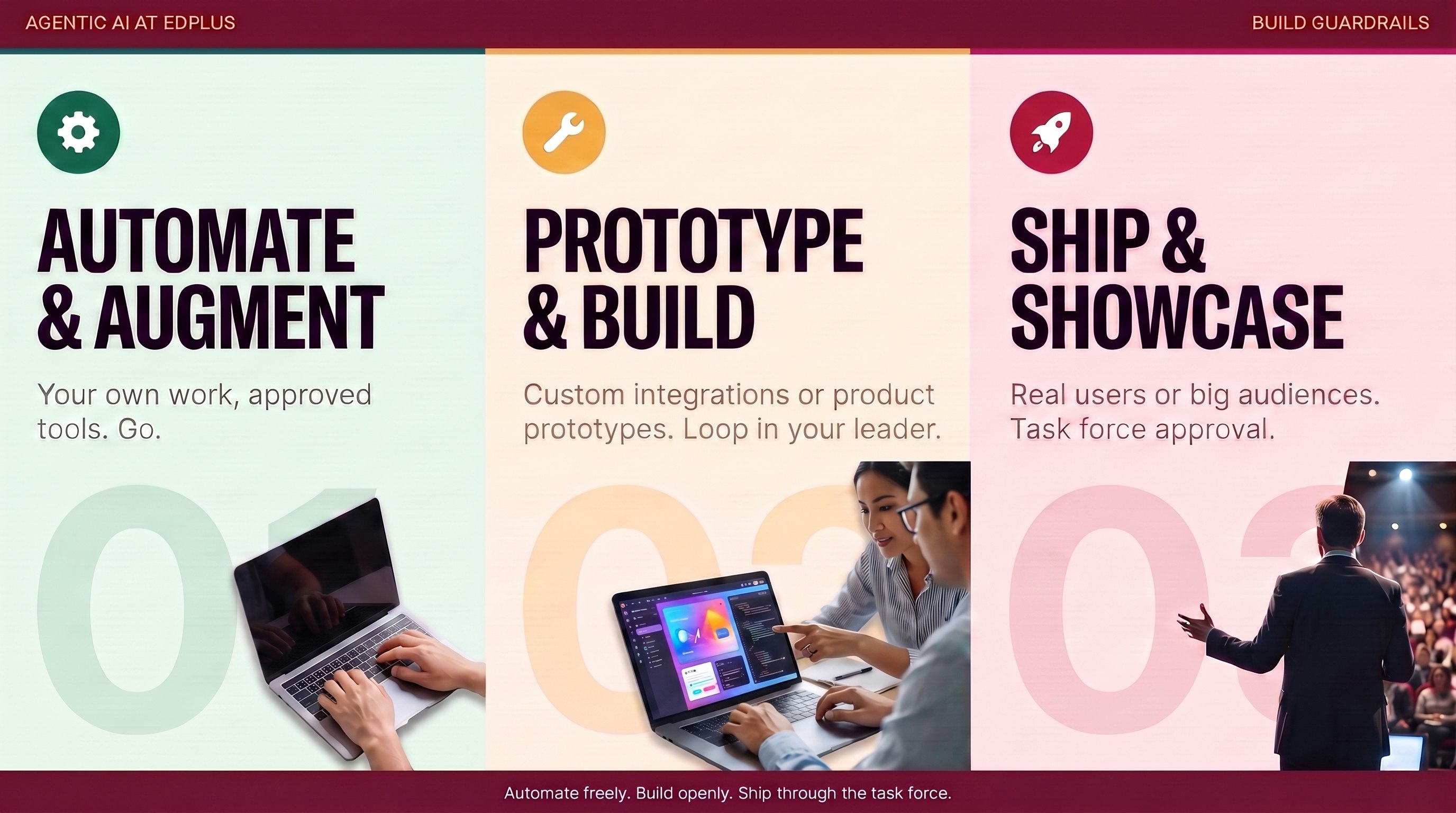
- 🟢 Green: build now (Tiers 1 and 2). Internal assets for yourself or your team, including solutions that keep sensitive data inside Claude via Live Artifacts. No review is needed; keep your leader informed of what you are building and why.
- 🟡 Yellow: review before it goes live (Tier 3). Prototypes are always allowed. Review is required at the moment of exposure: authentication, external hosting, sensitive data in a third party tool, or use by students and faculty. Submit this work through the project intake form.
- 🔴 Red: through the technology team (Tiers 4 and 5). Net new customer solutions and complex deployments. This work goes through AI technology governance before any build or deployment and includes a planning meeting.
The complete framework, with every tier and guardrail, is documented in The EdPlus Agentic Governance Framework.
Everywhere, always: work in your ASU Enterprise account, never a personal one. Keep FERPA, HR, and financial data out unless explicitly approved. Review Claude output before it leaves your hands.
Before you get access: read and sign the Claude Acceptable Use Agreement. It takes about two minutes: confirm the four acknowledgments and sign. Then submit the ASU ServiceNow Claude request form; access is provisioned based on your role in Workday and you will get an email when your seat is approved.
Start your training
- Start today, at your own pace: Learn Prompting is a great first stop, and the Learning Resources library has videos and guides for every tool.
- Team training sessions are being scheduled now. Each team completes a short brief, a discovery and training session, and a build phase tailored to its workflows. Invites will land on your calendar as sessions are confirmed.
- Want training tailored to your team? Leaders can request a team-specific session.
What happens next
Phase 1 of the rollout, standard licensing, wraps in mid-August. Phase 2, targeted for late August, adds connectors, plugins, and expanded Claude Code access. Questions? Ask in #edplus-ai-support, or contact the leader coordinating your team’s access.